"Explore the AI-Empowered Series — your step-by-step guide to building, marketing, and scaling smarter with AI."

5 Ways AI Can Supercharge Your Social Media Content
Discover 5 practical ways to use AI for social media—from ideas and design to scheduling and analytics—so you post smarter, not harder.
Why Social Media Feels Overwhelming (and How AI Helps)
Social media is a visibility engine—but it can also become a time sink. AI won’t replace your voice or judgment; it gives you superpowers: faster brainstorming, quicker design, easier repurposing, and clearer analytics. Use AI for the heavy lifting, then add your human touch for tone, story, and credibility.
1) Brainstorm an Endless Idea Bank
Start each month by generating a pool of post ideas so you never face a blank screen. Use ChatGPT or Claude to produce topical ideas, hooks, carousels, reels, Q&A prompts, and story angles tailored to your niche.
Prompt to try: “You are a social strategist. Generate 30 post ideas for a [your niche] account aimed at [audience]. Include hooks and CTA suggestions.”
Pro Tip: Sort ideas into three pillars—Educate, Build Trust, Sell—so your feed stays balanced. Ask AI to tag each idea to a pillar and platform (IG, LinkedIn, TikTok, Pinterest) for easy planning.
2) Repurpose One Idea Across Platforms
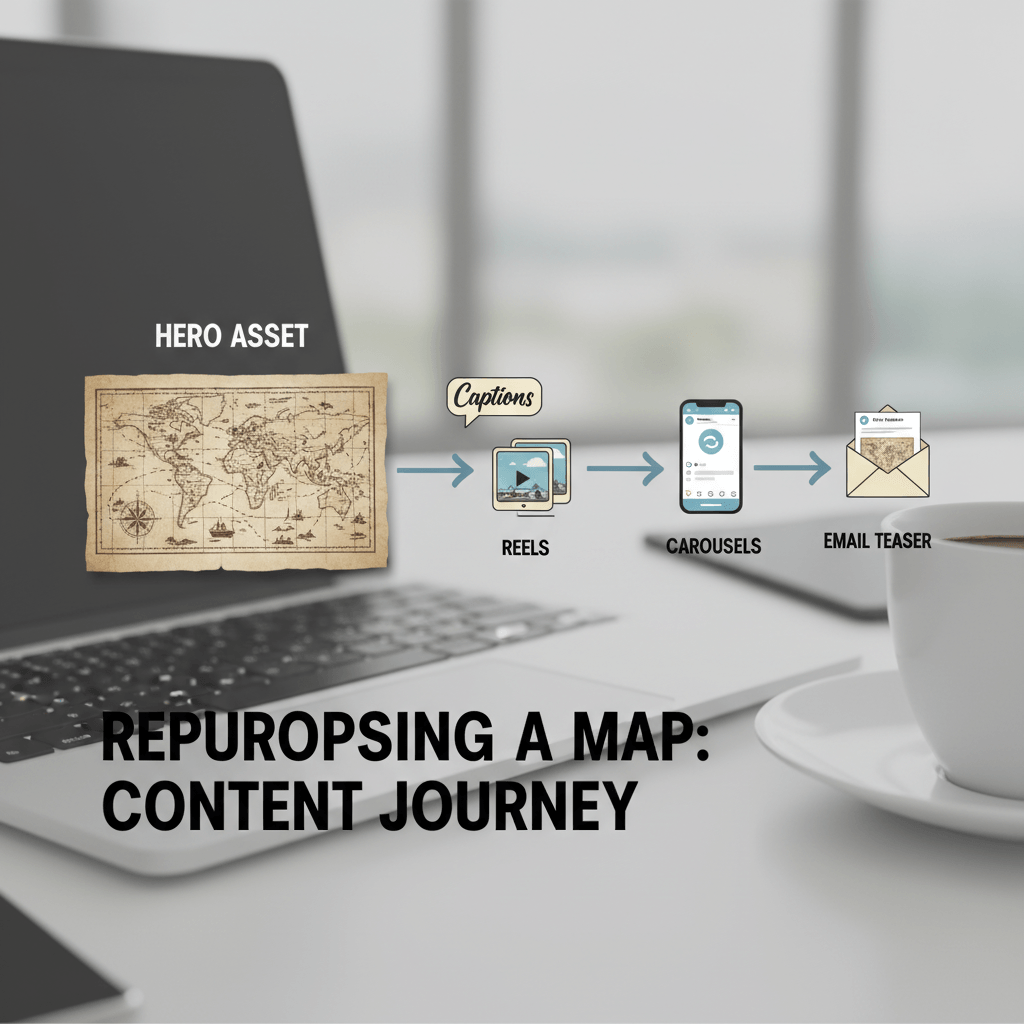
Choose a weekly “hero” asset (blog, video, podcast). Feed it into AI to create multiple formats: threads for X/LinkedIn, captions for Instagram, scripts for short videos, and an email teaser for your list. Descript can cut long videos into clips; ChatGPT can rewrite segments for different tones and lengths.
Workflow example: Blog → 3 LinkedIn posts → 5 IG captions → 1 Reel script → 1 newsletter intro. You publish a cohesive message everywhere without starting from scratch.
3) Design Faster with AI (and Stay On-Brand)
Use Canva Magic Studio to generate layouts, resize designs for each platform, and keep a consistent brand kit (colors, fonts, logo). For unique visuals, create a concept in Midjourney/DALL·E, then finish polish in Canva.
Pro Tip: Build 3–5 reusable post templates (carousel, quote card, tip list, case study, announcement). Ask AI to suggest headline length and text hierarchy so graphics remain readable on mobile.
4) Write Smarter Captions, Hooks, and Hashtags
AI excels at versioning. Give ChatGPT your draft and ask for three variations: short, conversational, and authority-led. Request multiple hooks (“Stop scrolling…” / “Here’s what no one tells you…”) and CTA options (save, comment, DM).
Hashtags: Ask AI for 2–3 niche clusters (broad, mid, long-tail). Rotate clusters to avoid repetition and test which ones drive reach.
5) Schedule, Analyze, and Improve Automatically
Tools like Buffer or Metricool can suggest optimal posting times and summarize results. Export a week or month of metrics and paste them into AI to identify patterns: best post type, strongest hook styles, and topics that convert.
Create a simple “social retro” once per month: what worked, what flopped, and one experiment for next month. Let AI draft the retro, then you decide the next test.
Mini Case Study – 40% More Engagement in 30 Days
A wellness coach spent 10 hours weekly on content and still felt behind. She batched a hero blog post each week, used ChatGPT to create cross-platform captions, designed carousels from templates in Canva, and scheduled via Buffer. After one month, she cut creation time to ~3 hours/week and saw a 40% engagement lift. The difference wasn’t posting more—it was posting smarter.
Guardrails: Keep It Human (and Safe)
• Don’t over-automate replies—respond personally to DMs and comments.
• Keep a clear brand voice guide; ask AI to mimic it.
• Verify facts and avoid making claims you can’t substantiate.
• Maintain accessibility: add alt text, use readable font sizes, and avoid text-heavy images.
Call to Action
Pick one hero asset this week and repurpose it with AI into at least five posts. Schedule them, analyze what lands, and evolve from data—not guesswork. Want prompts, templates, and checklists? Grab the AI Action Pack for ready-made workflows.
Let us know what you think in the comments!
Categories
Newsletter
Subscribe to the newsletter and stay in the loop! By joining, you acknowledge that you'll receive our newsletter and can opt-out anytime hassle-free.
Created with ©systeme.io